
Final approval by DCC
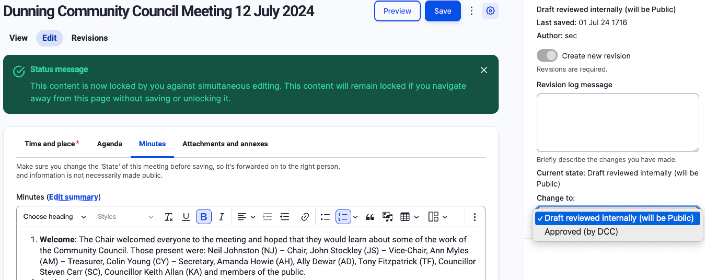
Once the minutes have been reviewed and approved at the following meeting, the Secretary should edit the previous meeting and change the status to 'Approved (by DCC)'. Once saved, this removes the 'Draft' styling on the website page.
Archives
Once saved, a PDF can be downloaded (using the button underneath the minutes) and printed out for signature and formal archiving.