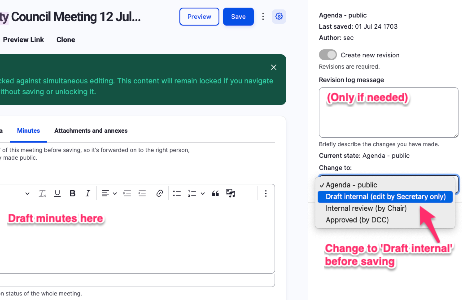
Draft minutes (in private)
- 'Edit' the previously created meeting.
- Change the state to 'Draft internal (edit by Secretary only)'
- Type up the minutes (there is a boilerplate template of minutes in the text editor bar) under the 'Minutes' tab.
- Save as often as you want (the system saves versions on each Save, and you can add Revision notes if it helps).
- As long as the State remains at 'Draft internal...' nobody else can read the minutes: they're hidden from public view.