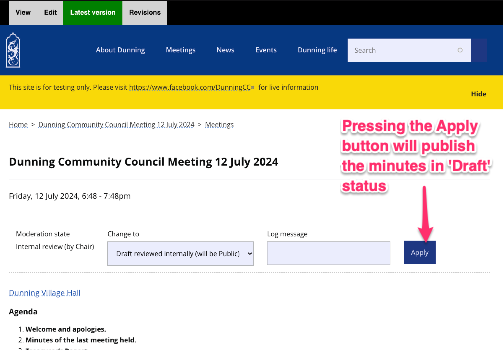
Approve draft
The Chair can then review the minutes as drafted by the Secretary (all hidden from public view) and can either:
- Edit the minutes as required; then change the state on the right hand side to 'Draft reviewed internally (will be Public)' and save
- If the content appears accurate, the 'Latest version' has a block above the content to change the state to 'Draft reviewed internally...'
Once the status is changed to 'Draft reviewed internally...', the meeting minutes will be publicly accessible but with a 'DRAFT' caveat